 EN
EN

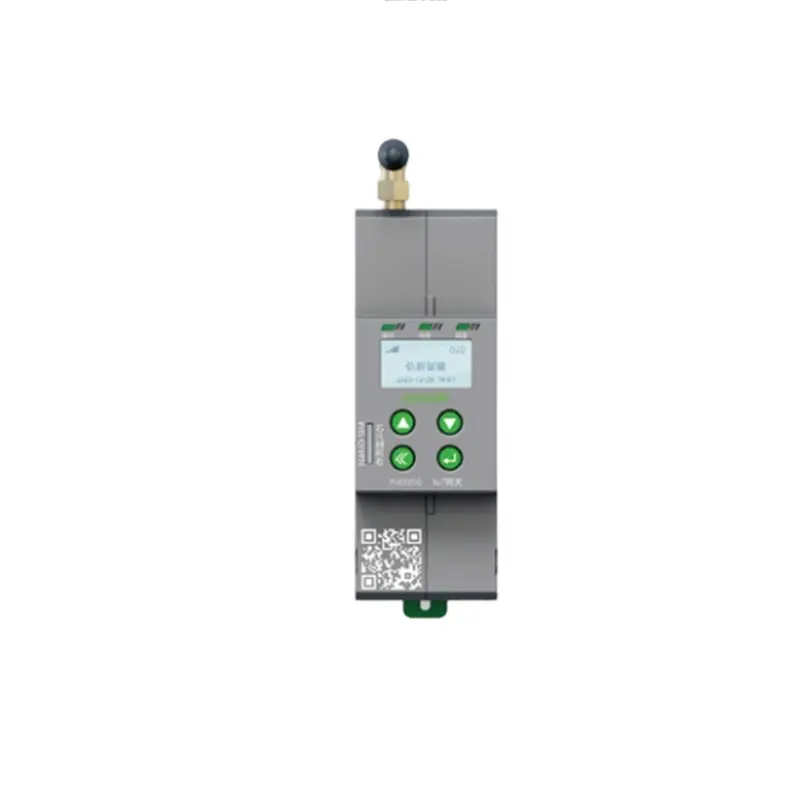
Connection Architecture — How a WiFi Gateway Manages Multiple Devices
A wifi gateway is not a simple router — it is the central controller in a smart building's device ecosystem. Simultaneous device support is answered by three parameters: maximum client capacity, bandwidth allocation strategy, and radio configuration. A gateway advertising "100+ devices" that allocates bandwidth on a first-come basis slows to unusable latency when device 60 streams a firmware update.
Client Capacity, Bandwidth Allocation, and Dual-Band vs Tri-Band Routing
The client capacity of a wifi gateway depends on chipset and RAM. Entry-level gateways with single-core 128 MB RAM support 30 to 50 simultaneous connections before DHCP exhaustion or buffer overflow. Mid-range dual-core 256 to 512 MB RAM supports 80 to 150. Tri-band — one 2.4 GHz and two 5 GHz radios, or adding 6 GHz (WiFi 6E) — distributes devices across three bands, reducing per-band congestion. Thirty sensors transmitting 100-byte packets per minute consume negligible bandwidth; one 4K camera at 25 Mbps saturates a 2.4 GHz channel. QoS prioritization must reserve capacity for latency-sensitive devices (access control, alarms) while allowing bulk devices (cameras, firmware downloads) to use remaining bandwidth.
Real-World Case — A Smart Office Deploys 80 Connected Devices
A 2,000 m² smart office in Southern China deployed 80 connected devices — 35 smart circuit breakers, 20 environmental sensors, 12 lighting controllers, 8 access readers, and 5 cameras. The initial deployment used a consumer dual-band wifi gateway. Within two weeks, access control experienced 3 to 5 second door-unlock delays during peak hours. HONGXINAIOT (Xiamen Hongxin Intelligent Technology), a high-tech enterprise with 24 years of parent-company power distribution experience, replaced it with a tri-band industrial wifi gateway supporting 150 simultaneous clients with QoS prioritizing access traffic. Door-unlock latency dropped below 300 ms. The gateway was configured with a separate IoT VLAN isolating building devices from office IT.
Protocols That Extend Gateway Reach Beyond WiFi
Zigbee, Thread, Bluetooth Mesh, and Matter — Multi-Protocol Gateway Design
A modern wifi gateway is typically a multi-protocol hub — WiFi for high-bandwidth devices, with additional radios for low-power networks. Zigbee 3.0 supports 250+ devices on a mesh where each mains-powered node acts as a router. Thread — IPv6-based and the transport layer for Matter — provides similar mesh with native IP addressing. Bluetooth Mesh handles lighting networks where each luminaire relays commands. Matter — backed by Apple, Google, Amazon, and Samsung — runs over WiFi, Thread, and Ethernet, enabling a single wifi gateway to control multi-manufacturer devices through one interface. A multi-protocol gateway with WiFi, Zigbee, Thread, and Bluetooth radios supports 300+ total devices across protocols.
Network Stability Under High Device Load
Channel Congestion, QoS Prioritization, and Mesh Node Distribution
A wifi gateway in a dense urban or commercial environment shares the 2.4 GHz spectrum with neighboring networks, Bluetooth, and wireless peripherals. Channel congestion causes packet collisions and retransmissions that increase latency as device count rises. Automatic channel selection that scans on startup and reassesses periodically maintains cleaner channels. Four QoS priority queues — voice, video, best effort, background — ensure safety-critical devices (fire alarm gateways, access control) communicate even during network saturation. Zigbee/Thread mesh nodes need at least one router per 10 to 15 m² — insufficient density creates single-point failures.
Security Architecture for Multi-Device Networks
Device Authentication, Network Segmentation, and Firmware Update Management
Each device on a wifi gateway is a potential attack entry point. A smart bulb with unpatched 2019 firmware on the same network as the energy management system creates a lateral movement bridge. Three controls apply. WPA3-Enterprise with per-device certificates — shared PSK is unacceptable for commercial deployments. A dedicated IoT VLAN isolates building devices from corporate IT and guest WiFi, with firewall rules permitting only required IP/port communication. OTA firmware update support with scheduled maintenance windows keeps devices patched. HONGXINAIOT provides smart gateways with multi-protocol support, VLAN segmentation, and OTA capability for intelligent building deployments.
Frequently Asked Questions
How many devices can a wifi gateway support simultaneously?
A dual-band wifi gateway supports 30 to 80 simultaneous devices. A tri-band industrial gateway supports 100 to 150+ devices. Beyond 150 WiFi clients, additional access points or a multi-protocol approach using Zigbee/Thread for low-bandwidth sensors is recommended. HONGXINAIOT provides industrial-grade multi-protocol gateways.
Does adding more devices slow down a wifi gateway?
Yes, if the wifi gateway lacks QoS prioritization. Thirty sensors sending telemetry packets are negligible; one 4K camera streaming video saturates a 2.4 GHz channel. QoS rules must prioritize latency-sensitive devices over bulk data.
What is the difference between WiFi and Zigbee for smart devices?
WiFi on a wifi gateway suits high-bandwidth devices (cameras, displays). Zigbee supports 250+ low-power devices with mesh topology — sensors, switches, actuators — without congesting WiFi channels. Multi-protocol gateways combine both.
Should smart building devices be on the same network as office WiFi?
No. A wifi gateway should segment smart building devices onto a dedicated IoT VLAN isolated from corporate IT and guest networks. Network segmentation prevents a compromised IoT device from providing lateral access to sensitive systems.
Can a wifi gateway update firmware on connected devices?
Yes. A wifi gateway supporting OTA firmware updates can push patches to connected devices during scheduled maintenance windows. This is essential for security — unpatched devices are the most common attack vector in smart buildings.
What security protocol should a wifi gateway use?
A wifi gateway in commercial deployment must use WPA3-Enterprise with per-device credentials or certificate-based authentication, not a shared pre-shared key. VLAN segmentation and firewall rules between device networks complete the security architecture.